
Engraving, embroidery, printed names — anything charged by the letter fits the same pattern: a Short Text field with per-character pricing. Customers watch the price change as they type, so there are no surprises at checkout.
What you’ll build
- An Engraving text field priced at $0.50 per character
- A live total that updates letter by letter
- Applied only to your engravable products
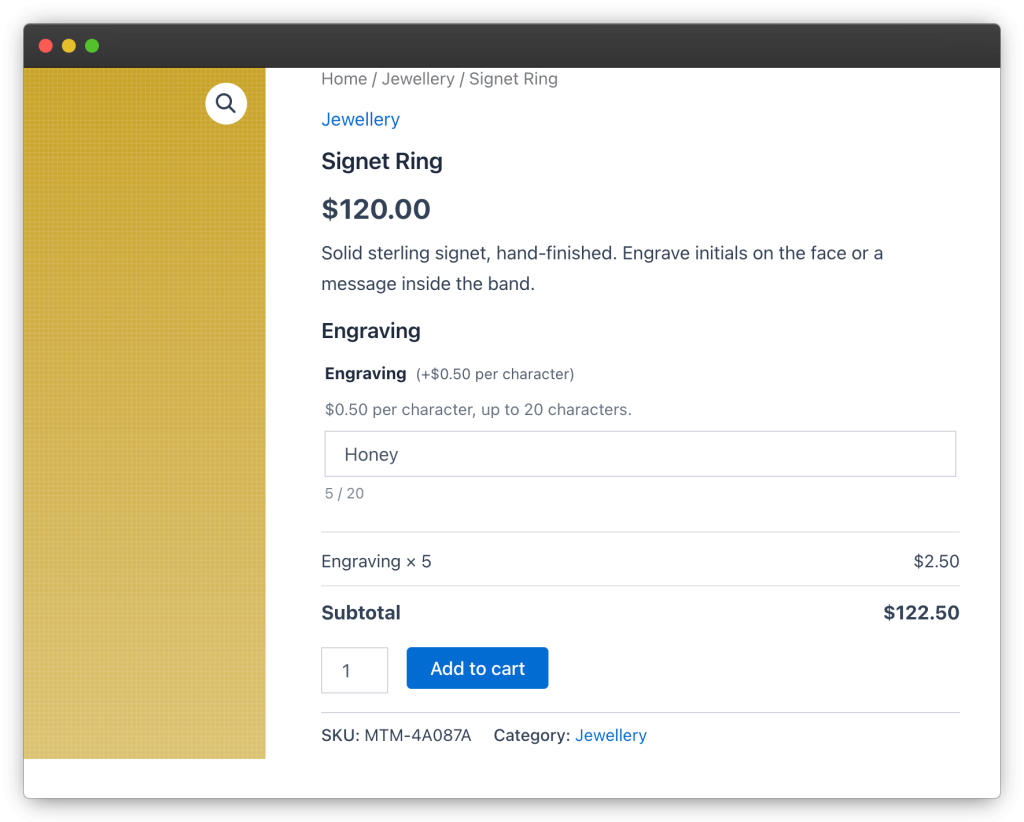
Step 1 — Create the group and target it
- Go to Products → Addons and click Add New. Name the group Engraving.
- In Products & Categories, switch from All products to specific targeting and pick your engravable categories — for example Flasks and Jewellery. Use an exclusion if one product in those categories can’t be engraved.
Step 2 — Add the field
- Add a field of type Short Text and label it Engraving.
- Set the pricing mode to per character and the rate to 0.50.
- Add a placeholder like Type a name… and a short description such as $0.50 per character, up to 20 characters.
Leave the field optional if engraving is an upsell, or switch on Required if the product is always personalised.
Step 3 — Preview the math
Click Preview and type into the field. The preview is priced against a $100 sample product, so you’ll see exactly what the customer sees: 4 characters × $0.50 = +$2.00, recalculated on every keystroke, with the grand total in the live totals box below.
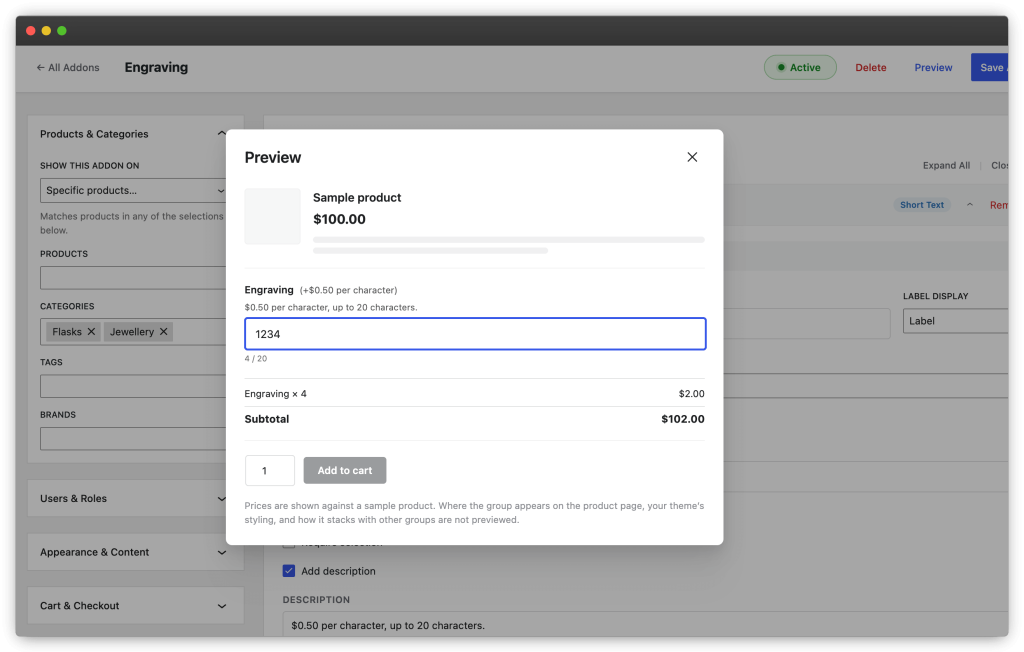
Step 4 — Save and check a real product
Click Save Addon, open one of the targeted products, and type a test engraving. Add it to the cart: the cart line shows the text and its price — e.g. Engraving: JOHN (+$2.00) — and the same detail carries through checkout, the order emails and the admin order screen.
Tips
- Sell engraving on a single product only? Skip the global group and add the field on that product’s Product Addons tab instead.
- Uppercase-only engraving machines? Say so in the field description — the value arrives on the order exactly as typed.
- Customers can revise the text from the cart via the Edit options link, which reopens the product page with the current text prefilled.